BRAP
A motorcycle community that rides together
Meet riders, add friends and arrange rides together. BRAP brings profiles, groups, events and a live map into one app.
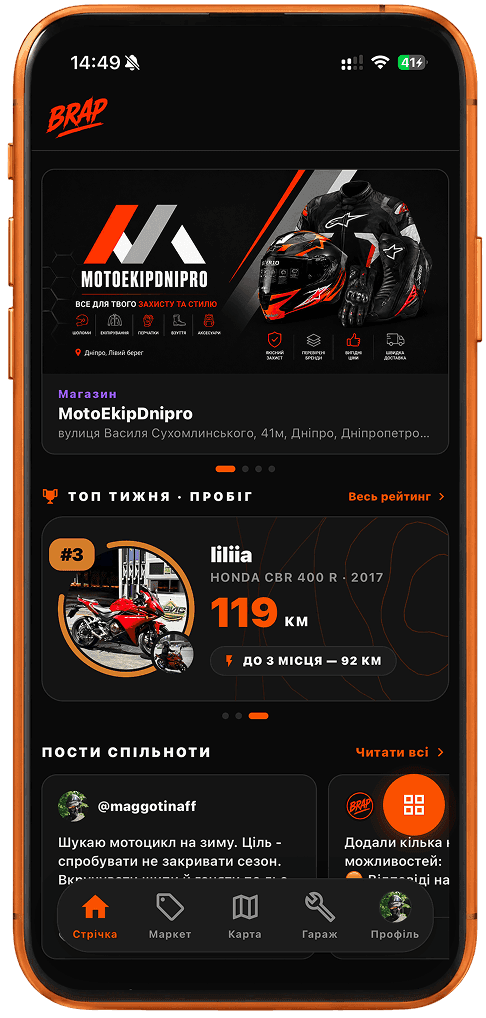
Not a collection of features — one motorcycle community
BRAP helps you stay in touch with people you meet on the road.
Open a profile from the map, add the rider as a friend or invite them to a group. Then arrange your next ride.
Find riders nearby
The live rider map shows active rides and plans. You can also find riders nearby through search and open their profiles.
From there, it is about meeting people — not looking at another map.
A profile is where the connection starts
A profile shows a nickname, city and bike, if added. Send a friend request or open the rider’s Telegram or Instagram links, if provided.
View a profile, get to know the rider and arrange a ride.
Ride statistics and the route map on another rider’s profile are available to friends. Individual rides may still be visible without being friends if the rider has not hidden them.
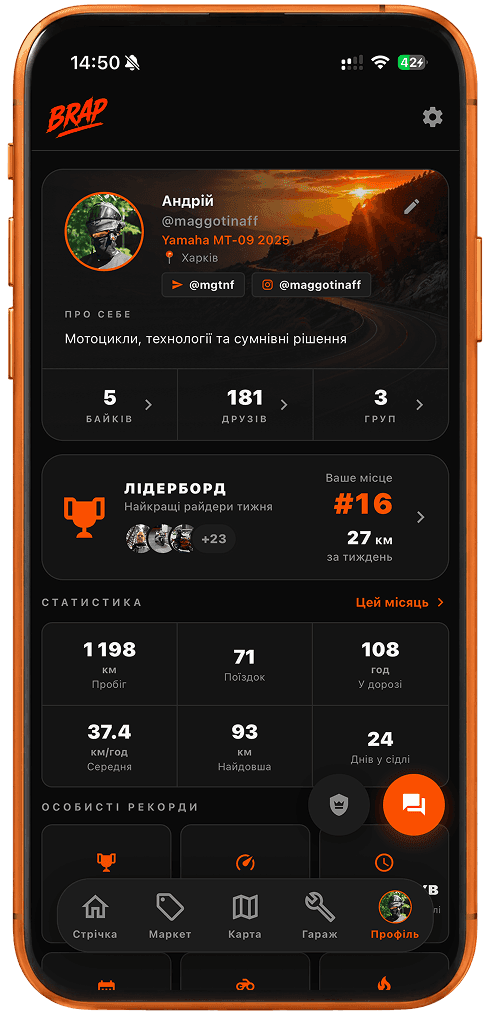
Connections that do not end on the screen
The point is not to collect followers. It is to meet up, grab a coffee, ride together, join the same group, or see each other at an event.
Meet for coffee or head out of town together. You arrange the meeting yourselves.
Build your own circle of riders
For a regular riding circle, use motorcycle groups. Groups can be public or private, with a chat and ride notifications.
Events bring the community together offline
Find or create a motorcycle event. Set the time, place and who can see it.
From meeting someone to riding together
Find a rider → add them as a friend → see their plan → make time for it → record your own ride. Future start times belong in motorcycle ride planning. Riding as a group belongs in group rides. Your own track after you start belongs in the GPS ride tracker.
On the road, it matters to know you are not alone
If you break down or need help on the road, you can activate SOS manually in BRAP.
Help is not guaranteed. If life or health is at risk, contact emergency services. Learn more about SOS for motorcyclists.
How the BRAP motorcycle community works
1. Find
See riders on the map or use nearby rider discovery.
2. Connect
Open a profile, send a friend request, and connect on Telegram or Instagram if the rider has shared them.
3. Get together
Join a public group or create your own for your city, friends, or shared interests.
4. Meet up
At motorcycle events or around a planned ride.
5. Ride together
Plan a start time, gather a group, and record the ride with the tracker.
6. Help each other
The community stays connected. If something goes wrong on the road, there is SOS. It does not guarantee rescue or replace emergency services.
City motorcycle communities
Groups, events and rider activity in a specific city.
More BRAP features
Frequently asked questions
Can I add riders as friends?
Yes. Open a profile and send a request. You become friends when the other person accepts.
Can riders share social profiles in BRAP?
Yes. Add Telegram and Instagram links to your profile for other riders to see. Other social networks are not currently supported.
What if I need help on the road?
Activate SOS manually to show an alert on the map and notify friends. If life or health is at risk, contact emergency services. BRAP does not call them.
Join the motorcycle community
Find riders, make friends, and turn a connection into a shared road — in the app for iOS and Android.